












 Manuals
 Contents
 Previous
 Next
Next


| | | |
| |||
| |||
| | | |
| ManualsContentsPreviousNext | | |
You can make copies of originals.
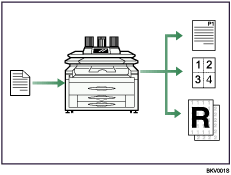
You can print stamps on copies. Stamps can include background numbers, scanned images, dates, and page numbers.
You can reduce or enlarge the copy image. With Auto Reduce/Enlarge, the machine automatically detects the original size, and then selects an appropriate reproduction ratio based on the paper size you select. If the orientation in which your original is placed is different from that of the paper you are copying onto, the machine rotates the original image by 90 degrees and fits it on the copy paper.
You can use the "Combine" function to save paper by printing multiple pages on a single sheet.
You can specify how copies are finished. When attached to the machine, the optional folding finisher can automatically fold copies after they are printed.

See Copy/Document Server Reference.
 |
 | Copyright (C) 2008 |
