












 Manuals
 Contents
 Previous
 Next
Next


| | | |
| |||
| |||
| | | |
| ManualsContentsPreviousNext | | |
Stores a format for Programmed Format Overlay.
The maximum size of original to be stored is A0 (E). You cannot store long length originals.
Make sure the machine is ready to copy.
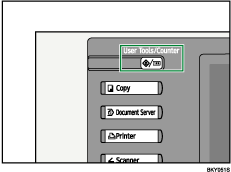
Press the [User Tools / Counter] key.
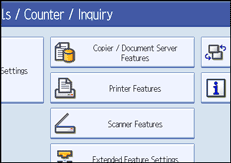
Press [Copier / Document Server Features].
Press [Edit], and then press [Program / Delete Format].
Select a format number (1 to 4).
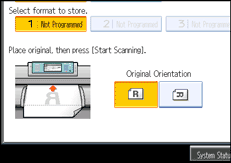
Format numbers with  against them have already been stored.
Select the original orientation.
Place the original, and then press [Start Scanning].
The original is scanned and stored.
Press [Exit] twice.
Returns to the initial User Tools / Counter / Inquiry display.
 |
 | Copyright (C) 2008 |
