












 Manuals
 Contents
 Previous
 Next
Next


| | | |
| |||
| |||
| | | |
| ManualsContentsPreviousNext | | |
Combines two images onto one copy using the first original as the background.
Press [Edit / Stamp].
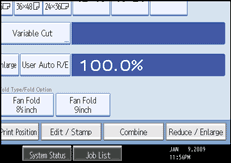
Press [Edit Image].
Press [Format Overlay].
Press [Format Overlay].
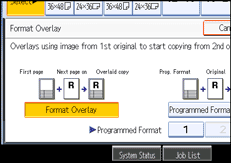
Make the necessary settings.
Place the first original, and let it be scanned.
Place the second original, and let it be scanned.
The machine makes a composite copy of the first and second originals.
Place the third original, and let it be scanned.
The machine makes a composite copy of the first and third originals.
Place any further originals, as required.
 |
 | Copyright (C) 2008 |
