












 Manuals
 Contents
 Previous
 Next
Next


| | | |
| |||
| |||
| | | |
| ManualsContentsPreviousNext | | |
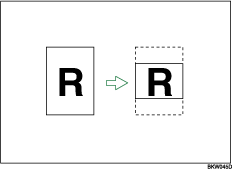
Use this function to copy only a specified portion of the original.
Press [Edit / Stamp].
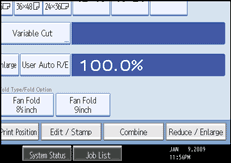
Press [Edit Image].
Press [Partial Copy].
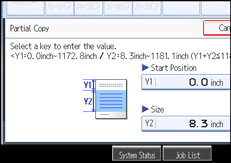
Press [Y1], and then enter the scan start position (the length from the leading edge of the original) with the number keys.
Press [ ].
].
Press [Y2], and then enter the copy size with the number keys.
Press [].
Press [OK] twice.

To change the value, press [Clear], and then enter a new value.
The copy size (Y2) should be at least 210 mm (8.3").
On the Type 1, the maximum copy length (Y1 Y2) is 15,000 mm (590.5").
On the Type 2, the maximum copy length (Y1Y2) is 30,000 mm (1181.1").
On the Type 1, if Y1Y2 is greater than 15,000 mm (590.5"), the machine shortens Y2 to make Y1Y2 less than the maximum.
On the Type 2, if Y1Y2 is greater than 30,000 mm (1181.1"), the machine shortens Y2 to make Y1Y2 less than the maximum.
For Y2, specify the actual length that you require.
 |
 | Copyright (C) 2008 |
