












 Manuals
 Contents
 Previous
 Next
Next


| | | |
| |||
| |||
| | | |
| ManualsContentsPreviousNext | | |
The sheet is folded several times parallel to its leading edge, enabling it be opened like a fan.
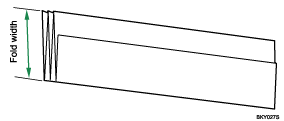
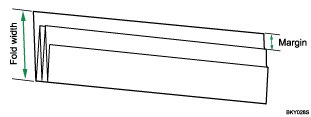
If the Fan Folding Finisher is installed, you can select a fold width of 140, 170, 210, or 297 mm (81/2", 9", 11", or 12").When [210mm(Margin Fold)] is selected, paper is folded so as to have a binding margin.
If the Cross Folding Finisher is installed, you can select a fold width of 140, 170, or 210 mm (81/2", 9", or 11").
When [210mm(Margin Fold)] is selected, paper is folded so as to have a binding margin.
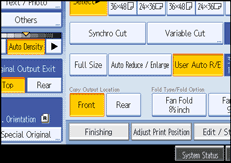
Press [Finishing].
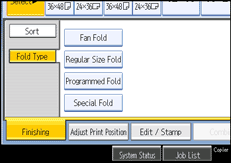
Press [Fold Type].
Press [Fan Fold].
Select a fold width for Fan Fold.
Press [OK].
 |
 | Copyright (C) 2008 |

