












 Manuals
 Contents
 Previous
 Next
Next


| | | |
| |||
| |||
| | | |
| ManualsContentsPreviousNext | | |
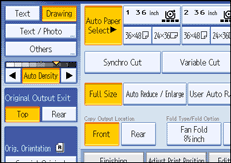
You can adjust the density of the overall original in nine steps.
When [Auto Density] is selected, press [Auto Density] to cancel it.
Press [ ] or [
 ] to adjust the image density. The density indicator "
 " moves.
 |
 | Copyright (C) 2008 |
