












 Manuals
 Contents
 Previous
 Next
Next


| | | |
| |||
| |||
| | | |
| ManualsContentsPreviousNext | | |
This section describes how to delete a group within another group.
Press the [User Tools/Counter] key.
Select [System Settings] using [ ] or [
 ], and then press the [OK] key.
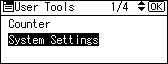
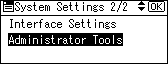
Select [Administrator Tools] using [] or [], and then press the [OK] key.
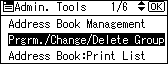
Select [Prgrm./Change/Delete Group].
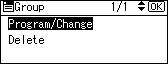
Select [Program/Change] using [] or [], and then press the [OK] key.
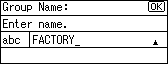
Enter the registration number of the group that you want to delete from using the number keys or the Quick Dial keys, and then press the [OK] key.
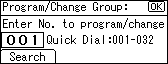
You can automatically specify registration numbers 001-032 by pressing the Quick Dial keys.
Press [Search] to search by name, destination list, or registration number.
Press the [OK] key.
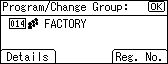
Press [Details].
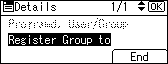
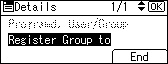
Select [Register Group to] using [] or [], and then press the [OK] key.
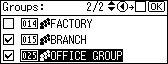
Select the group you want to delete using [] or [], then confirm it by pressing [ ], and then press the [OK] key.
Press [End].
Press the [OK] key.
Press the [User Tools/Counter] key.
 |
 | Copyright (C) 2008 |
