












 Manuals
 Contents
 Previous
 Next
Next


| | | |
| |||
| |||
| | | |
| ManualsContentsPreviousNext | | |
This section describes how to delete a Special Sender.
Use this function to delete "Initial Set Up" of a Special Sender.
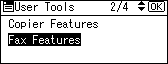
Select [Fax Features] using [ ] or [
 ], and then press the [OK] key.
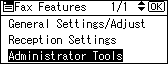
Select [Administrator Tools] using [] or [], and then press the [OK] key.
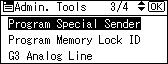
Select [Program Special Sender] using [] or [], and then press the [OK] key.
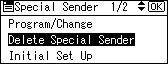
Select [Delete Special Sender] using [] or [], and then press the [OK] key.
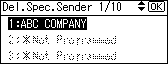
Select the sender you want to delete using [] or [], and then press the [OK] key.
Press [Yes].
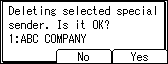
To cancel deleting a special sender, press [No]. The display returns to that of step 5.
Press the [User Tools/Counter] key.
 |
 | Copyright (C) 2008 |
