












 Manuals
 Contents
 Previous
 Next
Next


| | | |
| |||
| |||
| | | |
| ManualsContentsPreviousNext | | |
Select a ratio using [ ] or [
 ].
].
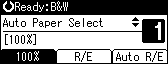
Press [R/E].
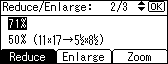
Press [Reduce] or [Enlarge], and then select a preset ratio which is close to the desired ratio using [] or [].
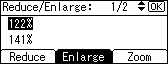
Press [Zoom].
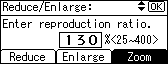
Specify a ratio using [] or [], and then press the [OK] key.
Place the original, and then press the [Start] key.
Pressing [] or [] changes the ratio in increments of 1%. Pressing and holding down the relevant key changes the ratio in increments of 10%.

To change the value you specified in step 4, readjust it using [] or [].
 |
 | Copyright (C) 2008 |
