




Selecting a Color Mode
Select a color mode that suits your originals and copying requirements.
For color images, see “Available Color Functions”.
The following two color modes are available:
Black & White
Copies in black regardless of the color of the original.
Full Color
Copies by overlaying yellow, magenta, cyan and black.
 Press the [Full Color/B&W] key to select the desired color mode.
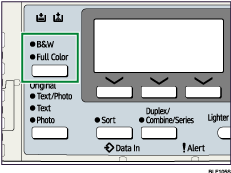
Upper indicator: B&W
Lower indicator: Full Color
 Place the originals, and then press the [Start] key.

For examples of what you can do with the color functions, see “Available Color Functions”.


