




Automatic deletion of temporary jobs in the hard disk
Follow the procedure below to set automatic deletion of temporary jobs stored in the hard disk.
 Press the [Menu] key.
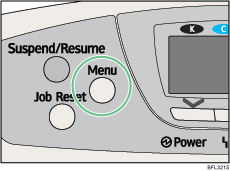
The menu screen appears.
 Press the [
 ] or [
 ] key to select [Maintenance], and then press the [OK] key.
 Press the [] or [] key to select [HD Management], and then press the [OK] key.
 Press the [] or [] key to select [Auto Delete Temporary Jobs], and then press the [OK] key.
 Press the [] or [] key to select [On], and then press the [OK] key.
 Press the [] or [] key to set automatic deletion timer in hours between 1 through 200.
 Press the [OK] key.
Wait for one second. The hard disk management screen appears.
 Press the [Menu] key.
The initial screen appears.

