




Tray Priority
Follow the procedure below to change the tray priority.
 Press the [Menu] key.
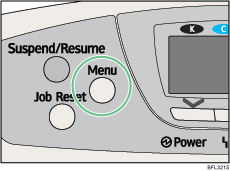
The menu screen appears.
 Press the [
 ] or [
 ] key to select [Paper Input], and then press the [OK] key.
 Press the [] or [] key to select [Tray Priority], and then press the [OK] key.
 Press the [] or [] key to select a tray you want to use, and then press the [OK] key.
Wait for one second. The [Paper Input] screen appears.
 Press the [Menu] key.
The initial screen appears.

