




Memory Erase Status Menu
Displays data status inside the memory.

This menu appears only when the optional data overwrite security unit is installed.
 Press the [Menu] key.
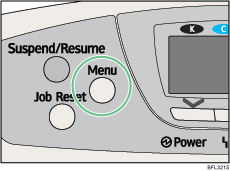
The menu screen appears.
 Press the [
 ] or [
 ] key to select [Memory Erase Status], and then press the [OK] key.
 Displays [Data to erase remaining.] if there is data remaining inside the memory, displays [Currently no data to erase.] if there is no data inside the memory, and displays [Erasing Data...] when the data is being deleted.
 Press the [OK] key.
The menu screen appears.
 Press the [Menu] key.
The initial screen appears.

