












 Manuals
 Contents
 Previous
 Next
Next


| | | |
| |||
| |||
| | | |
| ManualsContentsPreviousNext | | |

When A5 paper misfeeds, you might not be able to remove it by pulling the duplex unit out. In this case, pull the paper tray out and remove the paper.
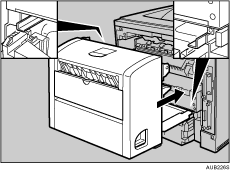
Push down the lever on the right side of the duplex unit ( ), and then pull it out until it stops (
 ).
).
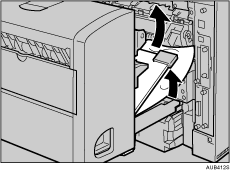
Lift the guide board inside the duplex unit, and remove the misfed paper.
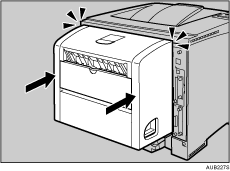
Push in the duplex unit along the rails in the back of the printer.

If the error message appears again, the misfed paper might be left in the printer. Confirm that any torn paper scraps are not in the inside of the printer. For more information, see "When Remove Misfeed Internal Path Appears".
 |
 | Copyright (C) 2008 |

