












 Manuals
 Contents
 Previous
 Next
Next


| | | |
| |||
| |||
| | | |
| ManualsContentsPreviousNext | | |
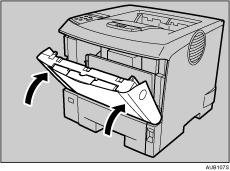
Open the paper exit cover.
Place your finger under the indentation in the exit cover, raise it ( ) and pull it backward to open it (
 ).
).
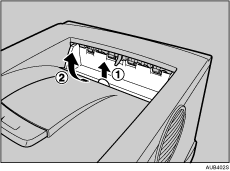
Remove the misfed paper.
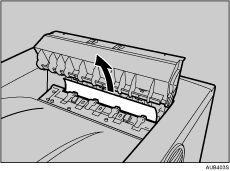
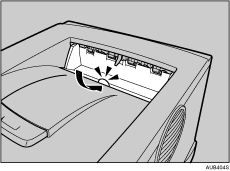
Close the paper exit cover until it clicks.
Open the front cover by pushing the front cover release button.
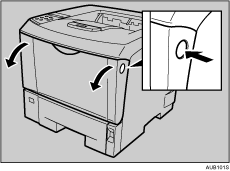
Close the front cover.

Once all misfed paper is removed, the error message will disappear and printing will continue.
 |
 | Copyright (C) 2008 |
