












 Manuals
 Contents
 Previous
 Next
Next


| | | |
| |||
| |||
| | | |
| ManualsContentsPreviousNext | | |

Confirm that the envelope flaps are securely folded down, and that there is no air inside the envelopes.
Load envelopes until they stop, with the print side up and the sides of the flaps on the left as shown below.
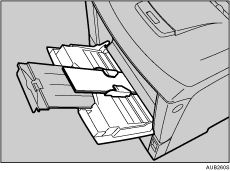
Slide the side guides against the edge of the envelope stack.
Set the envelope size and feed direction. Press the [Menu] key.
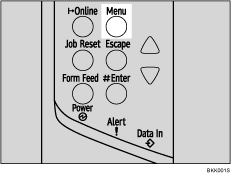
The [Menu] screen appears.
Press the [ ] or [
 ] key to display [Paper Input], and then press the [
 Enter] key.
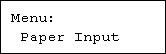
Check [Bypass Size] appears, and then press the [ Enter] key.
Press the [] or [] key to select the envelope type, and then press the [ Enter] key.
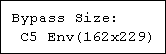
Press the [Online] key.
The initial screen appears.

Confirm that the top of the stack is not higher than the limit mark on the side guides.
Do not push the stack of envelopes with too much force.
Confirm that the edges of envelopes fit under the side guides.
 |
 | Copyright (C) 2008 |

