




Using DHCP - Detecting the Network Address Automatically

When you use this printer in DHCP environment, select [DHCP] following this procedure.
When [DHCP] is selected, you cannot make settings for the following items:
IPv4 Address
Subnet Mask
Gateway Address
Consult your network administrator for information about making network settings.
 Press the [Menu] key.
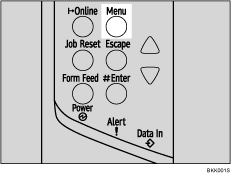
The [Menu] screen appears.
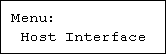
 Press the [
 ] or [
 ] key to display [Host Interface], and then press the [
 Enter] key.
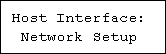
 Press the [] or [] key to display [Network Setup], and then press the [ Enter] key.
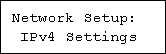
 Press the [] or [] key to display [IPv4 Settings], and then press the [ Enter] key.
 Press the [] or [] key to display [DHCP], and then press the [ Enter] key.
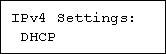
 Press the [] or [] key to select [On] or [Off], and then press the [ Enter] key.
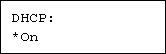
The address will be detected by the printer.
The default setting is [On].
 Press the [Online] key.
The initial screen appears.
 Print a configuration page to confirm the settings made.

"Printing the Test Page", Quick Installation Guide.

