




1200-sheet Paper Feed Unit
This section describes how to load paper into the 1200-sheet paper feed unit (LCT).

Align the paper stacks and load them against the left and right walls, or a paper misfeed might occur.
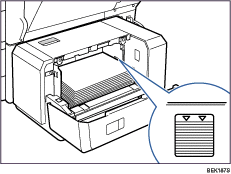
The tray can hold up to 1,200 sheets of paper. Do not stack paper over the limit mark.
The paper tray guides are fixed at A4
 (
( ) or 81/2 × 11 (Letter) (
 ) size positions. However, you can switch the setting between A4, 8 1/2 × 11 (Letter), or B5 JIS. If you wish to use a paper size other than the default, contact your sales or service representative.
 Open the top cover of the1200-sheet paper feed unit.
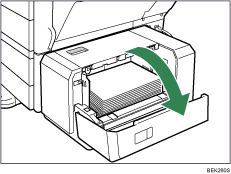
 Align and load paper in the tray along the edge on the back with the print side down.
You can load up to 1200 sheets in the tray.
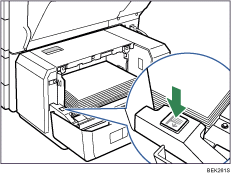
 Press the [Down] key to lower the paper stack down.
 Load paper by repeating steps 2 and 3.
 Close the cover of the 1200-sheet paper feed unit.


