












 Manuals
 Contents
 Previous
 Next
Next


| | | |
| |||
| |||
| | | |
| ManualsContentsPreviousNext | | |
Use this function to have separation sheets inserted between sets or jobs.
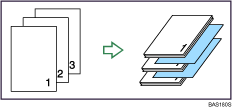

Before using this function, select the tray for separation sheet under Separation Sheet Tray in User Tools. For details, see “System Settings”, General Settings Guide.
Press [Finishing].

Press [Insert Separation Sheet].
Press [Per Job] or [Per Set].
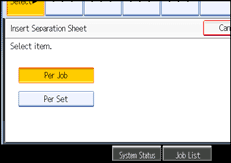
Press [OK] twice.

When [Per Set] is selected, you can enter the number of sets between which separation sheets are inserted with the number keys.
 |
 | Copyright (C) 2007 |
