




Designated Sheet Print
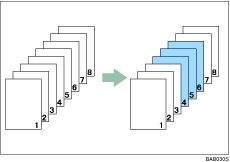
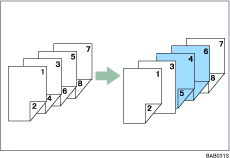
You can print a designated area of a page onto another sheet.

You cannot specify [Chaptering] or [Designate] inside the [Designated Sheet Print] area.
When printing one side
When printing both sides

You can designate up to 100 locations using the printer driver.
For the slip sheets, specify the same size and orientation as is specified for the main paper.
For details about printing methods, see the printer driver Help.

