











 Manuals
 Contents
 Previous
 Next
Next


| | | |
| |||
| |||
| | | |
| ManualsContentsPreviousNext | | |
Using this function, you can insert cover and back sheets fed from a different tray to that of the body paper, and print on them.

To use this function, Collate must be set. Rotating Collate cannot be set.
The cover sheets should be the same size and orientation as the body paper.
Cover sheet
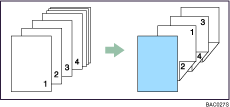
Prints the first page of the document on the sheet for the cover page.
Print on one side
Prints on one side of the cover sheet only, even when duplex printing is selected.
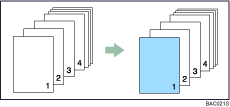
Print on both sides
Prints on both sides of the cover sheet when duplex printing is selected.
Cover sheet printed on both sides
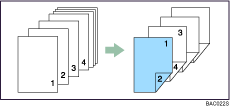
Cover sheet printed on one side
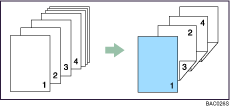
Blank
When printing one side
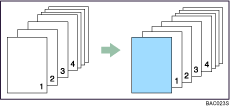
When printing both sides
Back Cover
Prints the last page of the document as the back cover pages.
Print on one side
Prints on one side of the cover sheets only, even when duplex printing is selected.
Back cover page face inside
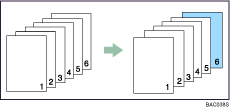
Back cover page face outside
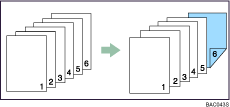
Print on both sides
Prints on both sides of the cover sheets when duplex printing is selected.
Back cover page face inside, and the number of pages is odd
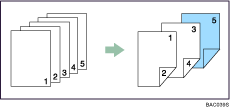
Back cover page face outside, and the number of pages is odd
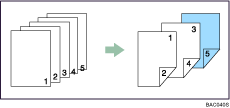
Back cover page face inside, and the number of pages is even
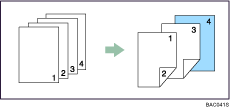
Back cover page face outside, and the number of pages is even
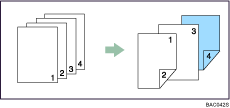

If "Auto Tray Select" is set as the paper feed tray for the body paper, the paper will be delivered from a tray containing paper in the  orientation. Therefore, if the cover paper is set to the
  orientation, the orientation of the output cover and body will be different.
For printing methods, see the printer driver Help.
 |
 | Copyright (C) 2007 |
