




When the 1000-sheet Finisher is Installed
 Open the finisher front cover.
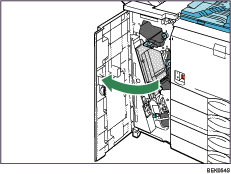
 Lift the staple unit.
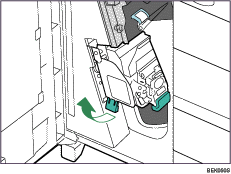
 Hold and lift the lever on the cartridge and pull the cartridge gently out of the staple unit.
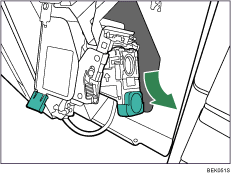
 Raise the face plate of the cartridge.
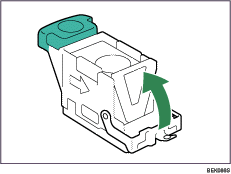
 Holding the cartridge's face plate up, remove the jammed staples.
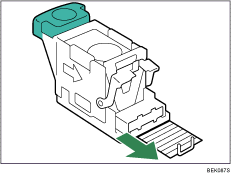
 Return the face plate to its original position.
Make sure it clicks into place.
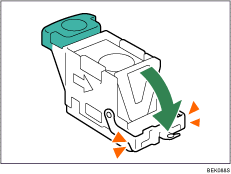
 Holding the lever on the cartridge, push the cartridge down gently into the staple unit until it clicks.
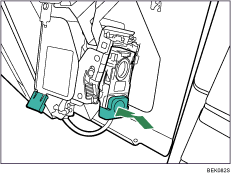
 Return the staple unit to its original position.
 Close the front cover of the finisher.

