




500-sheet Paper Trays
The same procedure is applied to clean the friction pads of standard paper trays and 1000-sheet paper feed unit. Tray 1 is used as an example.
 Carefully pull out the paper tray until it stops.
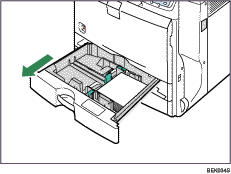
 Remove the loaded paper.
 Wipe the friction pad with a soft damp cloth.
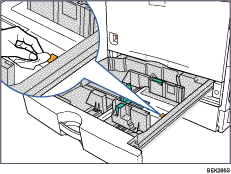
 Reload the paper into the paper tray and push it gently into the printer until it stops.
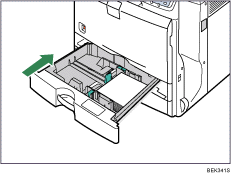
Do not slide the paper tray in with force. If you do, the paper guides might move.

