




Loading the Appropriate Paper
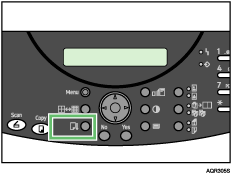
The following message appears on the control panel. Load the appropriate paper, and then press the [Form Feed/Head-Cleaning] key.
If a paper size mismatch error has occurred:
Change:  A4 A4  A5 A5 Continue=Form Feed |
If a paper type mismatch error has occurred:
| Change to:A4 OHP Continue=Form Feed |
 Press the [Form Feed/Head-Cleaning] key.