






Connecting the machine via the network
Use the following procedure to configure the machine as a network printer.

To use this function, the network interface board must be installed.
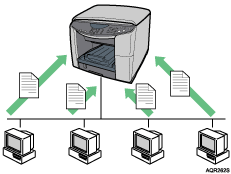
Connect the machine to the network.
Install the printer driver and any other necessary drivers on the computer.
Make the necessary changes to the network settings.
Begin using the printer.

For details about procedures and settings in step 1, see “Before installing the Printer Driver (Network Interface Board)”, Quick Installation Guide.
For details about procedures and settings in step 2, see Confirming the Connection Method
 , “Quick Install for Network”, Quick Installation Guide, Installing the Drivers for Network Connection.
For details about procedures and settings in step 3, see Printing on Various Paper Types
.

