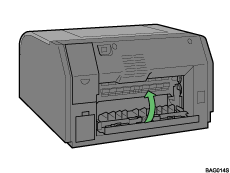




Cover Open
A cover is open. Make sure all covers are fully closed.
If the cover is already closed, open and then reclose it.
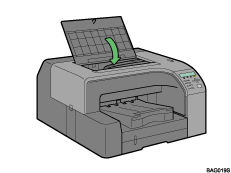
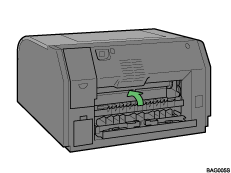
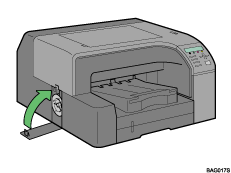
Follow the procedure below to close the cover.
 Close the cover.
Top cover
Rear cover
Left cover

There is a guide board in the recess behind the rear cover. If the guide board is open, close it.