





Attaching the Network Interface Board Type GX3a

Before touching the network interface board, ground yourself by touching something metal to discharge any static electricity.
Do not subject the network interface board to impact or other physical stress.
 Check the product and its supplied components.
 Make sure the printer's power cord is unplugged.
 Remove the cover.
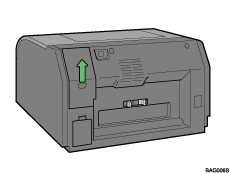
 Check the network interface board's orientation, and then install the network interface board gently.
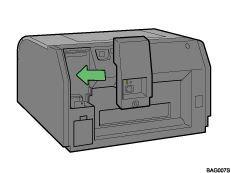
 Secure the network interface board with the screw provided.
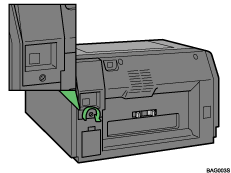

Be sure to push the network interface board fully into the printer.
If the network interface board is not installed properly, repeat the entire installation procedure. If you cannot install it properly even after attempting reinstallation, contact your sales or service representative.
Dispose of the removed component as general plastic waste or hand it in for collection.

